Public Steam disclosure research27,951 disclosures tracked
Where do games disclose AI use?
Search developers’ Steam disclosures, compare classified AI use across
games, and follow recorded changes.
This index adds cross-game classifications and statistics to
statements published on individual store pages.
Groups reflect automatic analysis of public disclosures; mature records are excluded. These counts do not measure AI use across all of Steam.
Missing or unclear statements cannot establish whether a game uses AI.
CCTV NVR uses an AI object detector (YOLOX) that runs on your PC to recognise people, vehicles and animals in your own camera footage. It only labels what your cameras see; it does not generate images, video, audio or text, and your footage stays on your PC. The program code, the interface text, its translations and this store page were made with AI assistance and checked by the developer. The store and library artwork, including the logo, was generated with AI.
Pro Lens itself contains no AI and generates nothing while it runs. The program code, the interface text, its translations and this store page were made with AI assistance and checked by the developer. The store and library artwork, including the logo, was generated with AI.
ButtonBox itself contains no AI and generates nothing while it runs. The program code, the interface text, its translations and this store page were made with AI assistance and checked by the developer. The store and library artwork, including the logo, was generated with AI.
SplitFire AI uses AI in two places. Stem separation runs the HT-Demucs neural network on your own computer: it splits an audio file you choose into vocals, drums, bass and other, and the audio never leaves your device. The optional Agent tab is an AI assistant that answers questions about your stems in text and can run file actions on them, each one only after you approve it. The Agent needs a SplitFire account and an internet connection, and uses the Onde Cloud service. The screenshots and trailer show the real app.
Connects to 3rd-Party Service for AI Content Generation: HT-Demucs (Meta Research, MIT licence), run on-device for stem separation. Onde Cloud, model tier onde-prism (MiniMax-M3), for the optional Agent.
Midnight Set is made by a small studio using a mix of human made and AI assisted work. The in game text, including menus, tutorials, assignment briefs and the feedback on your shots, was drafted with AI assistance under the studio's direction. Some art and 3D assets are also made with AI tools and then reviewed by us. Other assets are human made or licensed: photographed textures, recorded sounds, Epic MetaHuman characters, and music by independent bands used with their permission. Nothing is generated by AI while you play.
Portions of the application's source code were written with AI assistance under
the direction, review and testing of the developer. The application itself
contains no generative AI: all simulation output is deterministic physics driven
entirely by the user's input. No AI-generated art, audio or text assets are
shipped in the product.
Dave's optional AI features (chat, text tools such as translate and summarize, meeting notes and live caption translation) generate text while you use the app. You choose the AI: your own Claude, ChatGPT or Google (Gemini) account, or a model that runs locally on your PC. Generated text is shown only to you.
Connects to 3rd-Party Service for AI Content Generation: Claude (Anthropic), ChatGPT (OpenAI) and Gemini (Google), optional with your own account.
Some Staged store and community marketing artwork was created with assistance from generative AI, then reviewed and edited by the developer. The voice-over in the trailers is AI-generated text-to-speech. The application itself does not generate AI content during use.
Generative AI tools were used to assist in writing parts of this application's code and in creating store/marketing materials (text and images). The app itself does not generate any AI content at runtime, and all AI-assisted materials have been reviewed by the developer.
The AUREL logo and the store and library artwork were created with the help of generative AI. The app itself does not generate any content with AI: its noise suppression uses a neural network that only filters your own microphone signal in real time.
Auto Face Swap Pro uses pretrained AI models on your PC to swap and enhance faces in user-selected photos, videos, and live camera frames. These results are generated while you use the application. Face processing runs locally and does not use an external AI service. Use only images and likenesses for which you have permission and the necessary rights, and disclose altered media when sharing it.
VTuberPro Workstation uses locally running AI models to separate user-provided character illustrations into avatar parts, reconstruct hidden areas, and estimate depth. The AI processing runs on the user's PC rather than an external AI service. Some pre-generated artwork, including the app icon and built-in accessories, and interface translations were created with AI assistance. Automatic results vary with the input artwork and may require manual editing.
Generative AI was used to assist with portions of the artwork and promotional banners for Fireworks Premier, including certain Steam store and library graphics. Fireworks simulations and animations are rendered procedurally by the application. Fireworks Premier does not generate AI content during use or connect to external AI services.
Work With Script includes pre-generated visual assets created with generative AI: the MIDI keyboard artwork, the feather icon used for Writer Mode, and eight example thumbnails included as starting-point references for creators in the Thumbnail Board. The application contains no AI features — no content is generated during use, and the application does not connect to external AI services.
1. AI Speech Recognition
Feature: AI Speech Recognition
Location: Right-click a video clip that contains audio, then select “Audio recognition.”
How it works: The user selects a Whisper model and language, starts recognition, and Edify generates a timed transcript from the clip audio. The result can be used for subtitles and text-based editing.
Generated content: Speech-to-text transcription. The feature only processes media selected by the user.
2. AI Intelligent Keying
Feature: AI Intelligent Keying
Location: Right-click a video clip, then select “Keying.”
How it works: The user enables AI keying and adjusts the keying region, threshold, edge softness, edge bias, and opacity. Edify uses an RVM video-matting model to generate an alpha matte and remove the background.
Generated content: Per-frame foreground alpha mattes. Processing is initiated by the user.
3. AI Beautification
Feature: AI Beautification
Location: Right-click a video clip, then select “AI Beauty.”
How it works: The user adjusts skin smoothing, skin whitening, face slimming, body slimming, and eye enlargement. Edify uses local face-detection and landmark models to track and process the selected person.
Generated content: Modified video frames with AI beauty effects. The user must explicitly enable and adjust the effect.
4. AI Dubbing
Feature: AI Dubbing
Location: Right-click an audio track or commentary clip, then select “Dubbing.”
How it works: The user enters text, selects a voice and TTS engine, generates speech, and inserts the generated audio into the timeline. The user can preview and remove the generated audio before export.
Generated content: Synthetic voice audio generated from user-provided text.
5. Intelligent Live Commentary
Feature: Intelligent Live Commentary
Location: Right-click a video clip that contains audio, then select “Live Commentary.”
How it works: Edify uses speech recognition to create timed sentences and commentary marks. The user can edit sentences and timing, then apply them to the timeline, generate subtitles, or use them for dubbing.
Generated content: Timed commentary text and sentence-level timeline marks.
All five features require explicit user action. Edify does not automatically generate AI content in the background. Users select the source media, enable the feature, review the result, and can remove or modify generated content before exporting.
ChimpType is an AI application. Its core feature uses AI speech recognition and speaker diarization models, running entirely on your own device, to transcribe audio you provide and label who is speaking. Generative AI was also used to produce this store page's assets, including the artwork and the trailer. The trailer's narration was generated with ChimpChat, ChimpType's sister app. The app's logo and icon were also made with generative AI.
Name of AI model included with the game: OpenAI Whisper (speech-to-text) and pyannote speaker-diarization-3.1 (identifies who is speaking). Both run only on your own computer; ChimpType uses no online AI service.
AI assistants were used to help write the application's code. The store images were created with the help of an AI assistant by rendering the actual dummy head 3D model in Blender. The app does not generate any content with AI while it runs.
AI tools assisted the initial translation of P2Peek interface and store text and the early exploration of brand concepts. The chosen brand design was subsequently rebuilt as geometric SVG artwork and outlined lettering, then exported as application icons and store graphics. These assets and translations are prepared in advance. P2Peek does not generate text, images, music or narrative with AI while running, and does not connect to external generative AI services. Optional audio enhancement processes input audio for noise reduction and echo-related enhancement. The Supporter Pack shares this branding and localization.
Generative AI was used during development as a programming assistance tool and to help create selected pre-generated visual assets and marketing materials. All such content is reviewed and curated by the developer. Battle Animator does not generate AI content during runtime and does not connect to external AI services.
AIpark offers optional local AI image and short-video creation, with a bundled starter image model and downloadable video models. Generation is user-initiated and runs locally. Sexually explicit content generation is prohibited.
Name of AI model included with the game: Tiny-SD (local text-to-image); Wan 2.2 TI2V-5B INT8 via WanGP 18.05 (local text-to-video); Content Safety Guard Small (local prompt moderation).
Generative AI was used during development to create some store page artwork and in-game icons. All generated content was reviewed before being included in the final product.
Generative AI was used to create the achievement icons. The application itself does not use generative AI: all fractal images and videos are rendered in real time from mathematical Mandelbrot-set calculations and user-selected settings. No AI-generated content is created while using the application.
StreamLay does not include AI-generated art, audio, or video assets.
Users provide character sprites or create them independently.
AI assistance was used during development to
help write code and draft store page text and documentation only.
AI tools assisted with writing and translating interface and store text, and with developing code for programmatically rendered visual assets and promotional materials. KEYCAST does not generate AI content or connect to AI services during use.
Generative AI tools assisted with interface translations and the preparation of store descriptions and visual assets. Orymessa does not generate content with AI during use and does not connect to an AI service.
Lyrica uses AI in the following areas:
- Translation of in-app text and store page descriptions from Japanese into other languages
- Proofreading of in-app text (e.g., making terminology and spelling consistent)
Product design and specification, UI/UX design, effect design, all artwork including the character illustrations, the bundled demo music, and the original Japanese text are created by humans. I do not train AI models, nor do I fine-tune existing ones, and I do not use material owned by others without permission.
The application itself contains no AI model and does not generate anything while running. Data you import into Lyrica is never used to train AI. Unless the material you bring in is itself AI-generated, nothing in the work you export from Lyrica is AI-generated.
RealSub uses AI technology as its core function: it runs speech-recognition and voice-activity-detection models (OpenAI Whisper via faster-whisper, and Silero VAD) locally on the user's own computer to turn audio the user is already playing into live subtitles. If the user enables translation, the recognized subtitle text is translated either on the user's own PC by a local translation model (a free optional DLC, used by default once installed) or by the translation service the user selected (Microsoft Translator, Google Translate, or a translation server the user runs on their own PC or LAN), and the translation is displayed. Audio is never uploaded.
The subtitles and translations produced this way are generated at runtime, from the user's own audio, and are shown only to that user on their own screen. RealSub does not generate art, music, voice-over, or narrative content, and it does not share generated text with other users or publish it anywhere.
None of the shipped content assets are generated by AI: interface text, icons, store artwork, screenshots and video are written, laid out or recorded by us. The store capsules are programmatic layouts, and the demo footage is real screen recording of licensed material.
Connects to 3rd-Party Service for AI Content Generation: Microsoft Translator (used when the free local translation model is not installed, not available, or not selected); optionally Google Translate, or a translation server running on the user's own PC or LAN (no account or API key)
Generative AI tools were used during development to assist with selected localization text, graphical/promotional assets, and portions of user-facing content. All AI-assisted material was manually reviewed, edited where necessary, and approved by the developer before release. The developer remains responsible for all shipped content and has reviewed the included materials for suitability and rights compliance.
This application essentially installs and runs free, open-source artificial intelligence models on your computer. Its working principle is as follows: the model listens to the video you are watching 5-10 seconds beforehand, then generates real-time dubbed audio in your chosen language, and simultaneously produces subtitles in your selected language.
Generative AI tools were used to assist in creating some promotional artwork for the Steam store and library, and in drafting and translating portions of the store description. All outputs were reviewed and edited by the developer. The application does not generate AI content at runtime.
During the development of the application, artificial intelligence was utilized to generate supporting utility code and translate user interface localization options into different languages.
Automatic subtitles, object cutout and background removal use machine-learning
models (Whisper, BEN2, SAM 2) that run entirely on your PC to process your own
recordings and images. Nothing is uploaded and no cloud AI service is used in
this version. Every character and asset that ships with the application is
first-party 2D artwork; no pre-generated AI content is included.
This software does not include any AI features or AI integration services. AI was used to create the promotional posters for the store, as the software interface alone was not suitable for poster design.
AI used to assist in creating some pre-generated promotional artwork and visual assets used in snapWR and its store presentation. snapWR does not use generative AI to generate content during use.
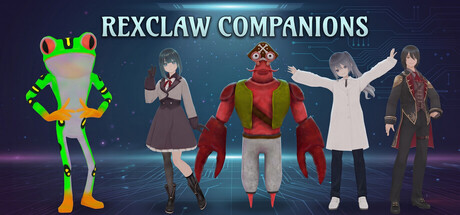
Rexclaw's companions are powered by generative AI, conversations (text and voice), along with files you create together are generated on demand by third party AI models. Some promotional artwork, including store banners, was created with AI assistance.
The English interface text in this application was translated from the Japanese original with AI translation tools then reviewed and corrected by the developer.
Evymind Clips uses AI to help you find the best moments in videos you choose. It can transcribe speech, translate subtitles, and suggest highlights with helpful titles and short summaries. You remain in control: every suggestion can be reviewed, adjusted, or removed before export.
The application only works from your source video. It does not create new footage, voices, music, or images. Depending on the feature, AI processing may take place on your computer or through our cloud service.
A2GD does NOT use AI to convert images whatsoever. It is purely algorithmic software.
AI was used for the user interface designs—I wish I could have done it myself, but I have very little experience with web design.
This software does NOT use Generative AI to generate images, artwork, audio, or text. All visual elements, templates, and store assets are 100% original, hand-crafted art and photography created directly by the developer.
Machine Learning and AI technologies are strictly limited to technical functionality and development:
- Background Removal Tool: A local, non-generative Machine Learning feature accessed by users to instantly remove image backgrounds and create striking visual compositions.
- Software Development: AI-assisted coding tools (vibe-coding / LLM assistance) were used during the programming process.
No AI-generated content is included in the software or produced during runtime.
Art assets (pre-generated): In-game scene backgrounds, UI icons, and store page promotional images are generated using Doubao as initial drafts. After manual screening, modification, and style unification, they are packaged into the game. All AI-generated art assets have been reviewed manually one by one, confirming that they do not contain any violations such as violence or pornography, and no copyrighted third-party assets have been used as input for generation. The AI tools used all have commercial use licenses.
Code (pre-generated): Some game logic code is generated with AI assistance during the development stage. After manual review, testing, and modification, it is compiled and packaged. The game does not call AI to generate code in real-time during runtime.
During the game's runtime, there is no AI-generated content in real-time. All AI-generated content visible to players are pre-generated static resources.
This app uses our in-house AI for the pixel-art conversion process. Generative AI content is used in the trailers and screenshots shown on this store page.
FragMend is a local video-conversion utility. The application itself contains no AI-generated content and uses no generative AI at runtime, your recordings are processed entirely on your own PC by ffmpeg, with no AI involved and nothing uploaded.
Some of the text on this store page and related marketing copy was drafted with the help of a generative AI writing assistant, then reviewed and edited by the developer for accuracy. The app's logo and capsule/library artwork are generated programmatically by the developer's own code (procedural rendering), not by generative AI.
Whisper running locally on your machine is used for the speech-to-text dictation and transcribing of your own footage alone and nothing else.
No connecting to any servers, no uploading or training, and no creative decisions are handed over.
For additional languages, the UI was auto translated to bring jumpcutGG to as many people as possible. If you have any corrections, improvements, or would be interested in translating it into an additional language please contact jumpcutGG@gmail.com, thank you!
IKANDY includes an optional AI scene generator. When you choose to use it, it creates new audio-reactive visual scenes in real time from a text prompt you write. This content is generated live, only when you request it, using an AI service you connect with your own API key. Not required to use IKANDY. Some of IKANDY's artwork and promotional media (key art, trailer visuals and music, and some in-app imagery) was created with generative AI tools and is reviewed by the developer.
Connects to 3rd-Party Service for AI Content Generation: Anthropic
This application uses generative AI models (Depth Anything V2 / V3) to perform real-time monocular depth estimation on user-provided videos, converting 2D footage into 3D depth maps for stereoscopic and immersive viewing. All AI models are loaded and run locally on the user's own hardware. No third-party cloud AI services are used, and no user data is transmitted externally.